01 /
Know your flight before you book.
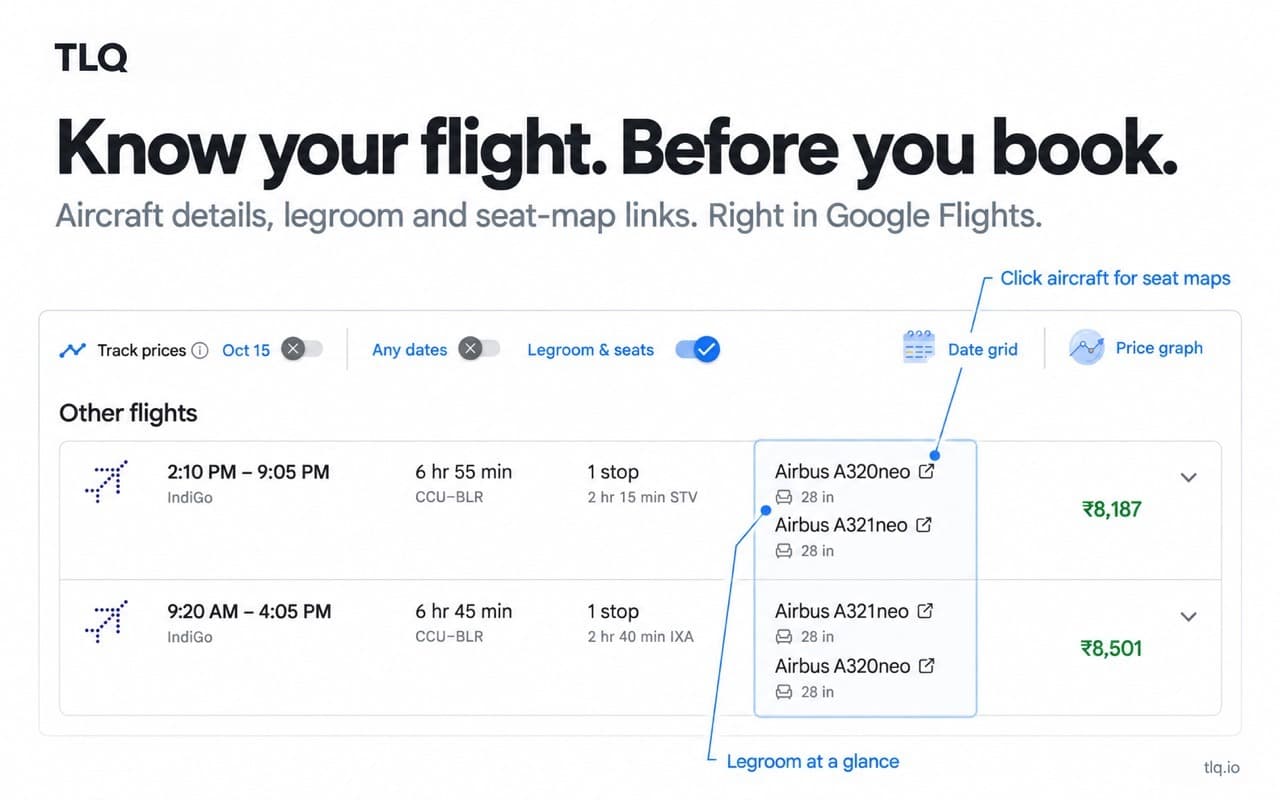
See aircraft, legroom and available amenities right in Google Flights. Open the aircraft link to explore its seat map.
Available now on the Chrome Web Store.
Explore Priceline Express Deals and Hotwire Hot Rates with likely hotel reveals. See legroom, seat maps and comparison in Google Flights.
No waitlist. No adware. You’re in control.
GOOGLE FLIGHTS
Compare legroom and aircraft details as you search. Open a seat map to take a closer look before you book.
MYSTERY HOTEL DEALS
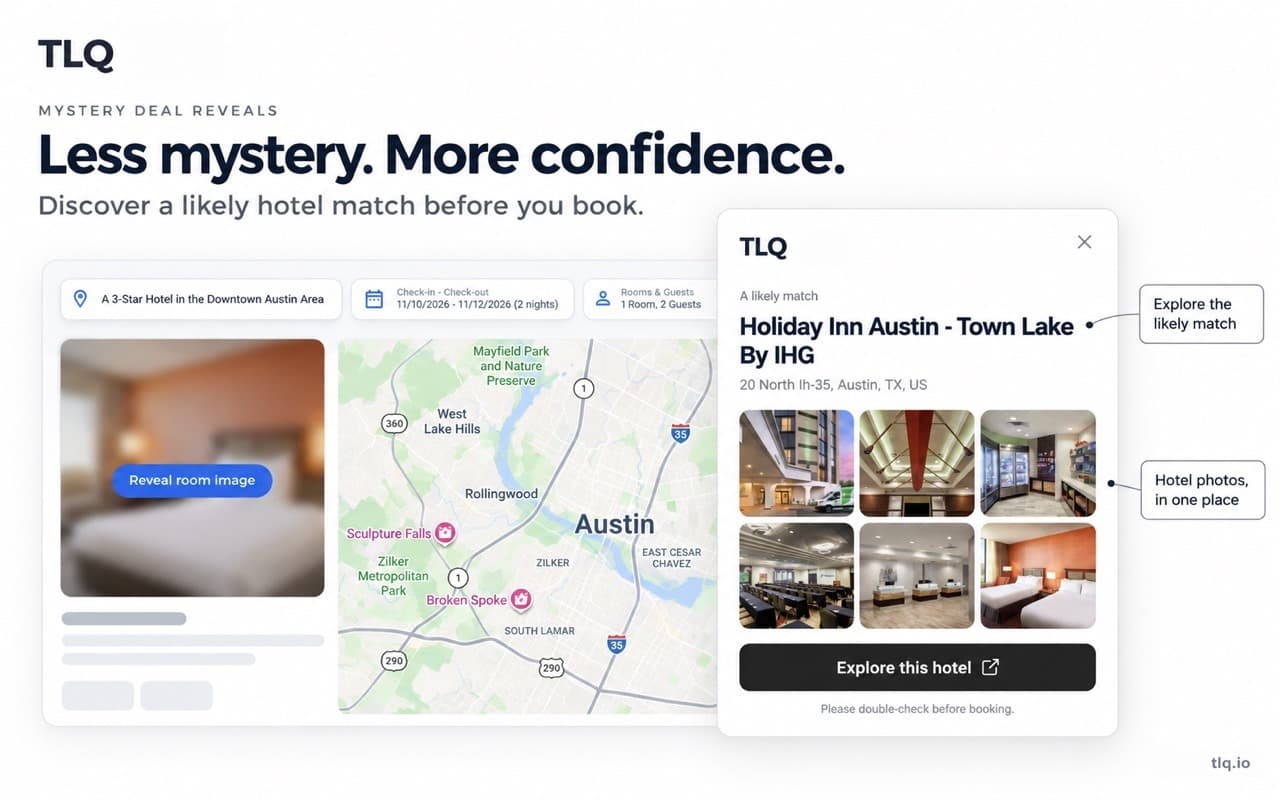
Explore a likely hotel match, browse its photos and check the details. A little more context before you choose.
Likely matches, not guarantees. Always double-check before booking.
MORE CONTEXT. BETTER CHOICES.
Two useful tools. Built into the travel sites you already use.
See aircraft, legroom and available amenities right in Google Flights. Open the aircraft link to explore its seat map.
Explore likely hotel matches for Priceline Express Deals and Hotwire Hot Rates, with photos and a direct hotel link. Always double-check the details before booking.
Read our Priceline Express Deals guide or Hotwire Hot Rates guide before booking.
FAMILIAR SEARCH. FRESH PERSPECTIVE.
Install once. Search as usual.
Install from the Chrome Web Store. Open Settings to choose which features you want to use.
Open Google Flights or a supported mystery hotel deal. Useful details appear alongside your search.
Check the legroom, explore a seat map or look at a likely hotel match. Book directly when you’re ready.
Your journey. Your call. Turn features on or off, choose your measurement units, and sign in only if you want account sync. No ads or affiliate redirects.
A LITTLE CLARITY
Here’s where things stand.
A Chrome extension that adds useful travel details where you already search: legroom and seat-map links in Google Flights, plus mystery deal reveals on supported hotel pages.
TLQ shows likely hotel matches on supported Priceline Express Deal and Hotwire Hot Rate pages. Install it from the Chrome Web Store, keep Mystery deal reveals enabled, and open a hotel offer. Results are possibilities, not confirmed booking identities.
Yes. Install TLQ from the Chrome Web Store and visit a supported travel page. No invitation or waitlist required.
You can use the travel features without signing in. Optional Google sign-in syncs your preferences with your TLQ account.
No. Reveals are likely matches, not a guarantee of the hotel you will receive. Check the booking details and terms before paying.
You stay in control of booking. TLQ adds information to help you choose; it does not purchase tickets or hotel stays for you.
The extension does not collect search history, send analytics events, or add affiliate redirects. Website analytics measures public page visits and clicks to the Chrome Web Store automatically. Seat-map lookups use our API and SeatMaps. Optional sign-in stores basic account details and preferences. Read our privacy page for the details.
READY FOR YOUR NEXT SEARCH
Get the details that help you choose. Available now for Chrome.